

A lot of businesses assume that because they’re using Microsoft 365, their data is automatically backed up.
It makes sense—Microsoft runs the platform, so surely everything is protected, right?
Not quite.
At ComputerWerx, this is one of the most common gaps we see across SMBs in Sydney. Businesses are relying on Microsoft 365 every day for email, files, and collaboration—but don’t have a true backup in place.
What Microsoft does (and doesn’t do)
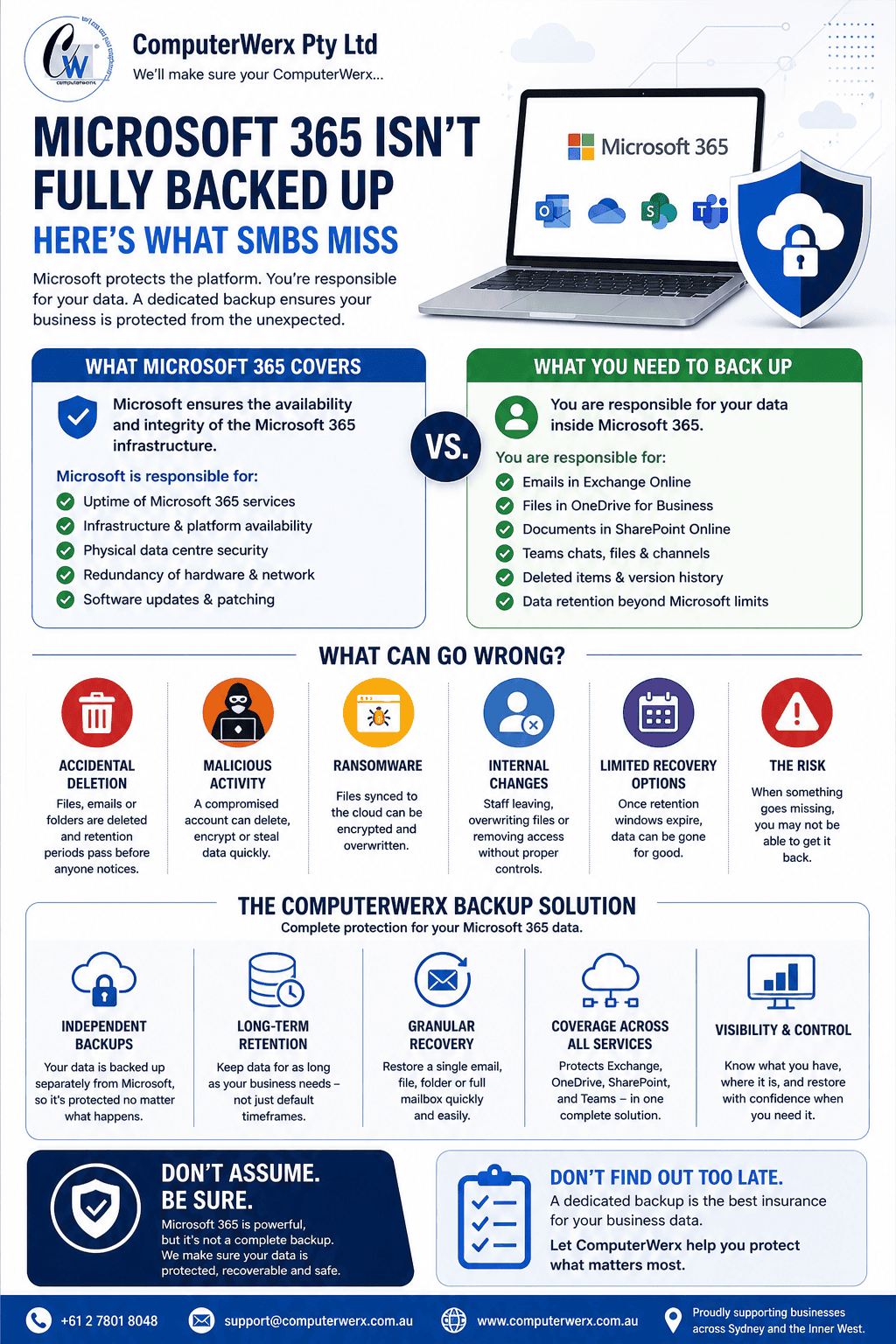
Microsoft 365 is highly reliable. It protects its infrastructure and ensures the service is available.
But when it comes to your data—emails, SharePoint files, OneDrive, Teams content—the responsibility is shared.
Microsoft doesn’t provide full, long-term backups in the way most businesses expect.
What can actually go wrong?
More than you might think:
Accidental deletion
Files, emails, or folders get deleted—and retention periods pass before anyone notices.
Malicious activity
A compromised account can delete or encrypt data quickly.
Ransomware
Files synced to the cloud can be encrypted and overwritten.
Internal changes
Staff leaving, overwriting files, or removing access without proper controls.
Limited recovery options
Once retention windows expire, data can be gone for good.
Why this matters for SMBs
Most SMBs don’t have the time or visibility to track all of this.
So when something goes missing, the assumption is:
“We’ll just restore it from Microsoft”
But in many cases, that option is limited—or no longer available.
That’s where the risk sits.
What ComputerWerx recommends
At ComputerWerx, we treat Microsoft 365 like any critical business system—it needs a dedicated backup solution.
That means:
Independent backups
Your data is backed up separately from Microsoft, so it’s protected no matter what happens.
Long-term retention
Keep data for as long as your business needs—not just default timeframes.
Granular recovery
Restore a single email, file, or full mailbox quickly.
Protection across all services
Exchange, OneDrive, SharePoint, and Teams—all covered.
A quick example
We worked with a business that lost a large set of files after a staff member deleted a synced folder.
By the time they realised, it was outside Microsoft’s recovery window.
Unfortunately, without a proper backup, the data couldn’t be restored.
After implementing a ComputerWerx backup solution, they now have full visibility and the ability to recover anything—quickly.
Final thought
Microsoft 365 is a powerful platform—but it’s not a complete backup solution.
At ComputerWerx, we help SMBs make sure their data is actually protected, not just assumed to be.
Because when it comes to your business data, “we thought it was backed up” isn’t something you want to rely on.